About Conductor
.png?width=2240&height=1260&name=invoices%20(3).png)

Happy New Year! As we head into 2026, make sure you're prepared to navigate the enhancements made to your apexanalytix-powered customer portals, so you can manage invoices with ease. Here's a quick overview of how apexanalytix Conductor streamlines your invoice management processes:
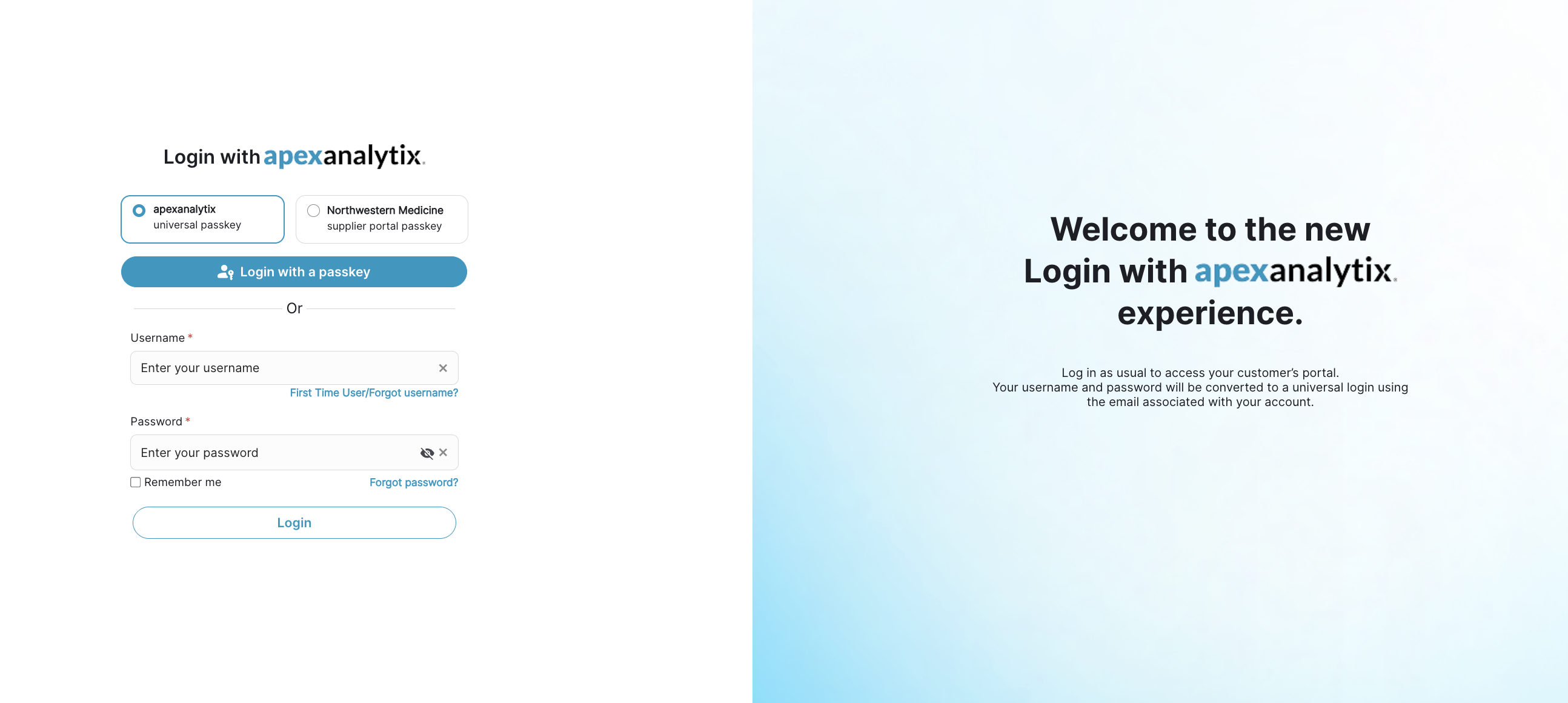
1. Login with apexanalytix
If you logged into an apexanalytix-powered customer portal in November or December, you may have already been prompted to go through the Login with apexanalytix process, where your specific portal credentials are transformed into one universal username and password. If you need any assistance with this process, feel free to email support@conductor.apexanalytix.app.
2. Use Conductor to Access Multiple Customer Portals
The Login with apexanalytix experience is what happens when you navigate to a customer portal directly—this usually looks like (customer name).apexanalytix.com.
However, you can also easily access multiple customer portals by simply bookmarking conductor.apexanalytix.app. 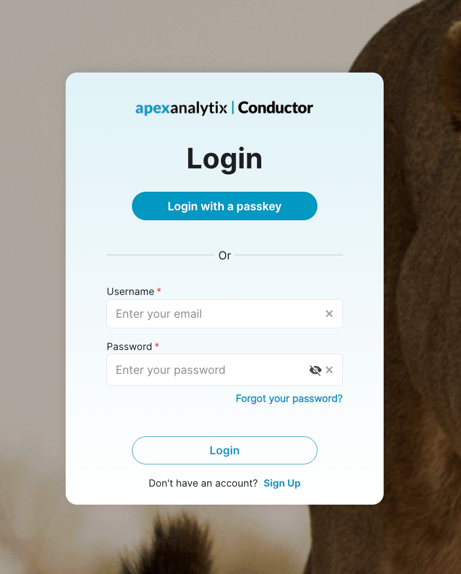
Use the same universal login information here as you would logging into any other apexanalytix customer portal.
After you've logged into Conductor, you'll see all the customer portals you can access via Conductor at the top of your screen. This list may vary based on which of your companies/business units you have selected. Come back and check this list often, it will grow as more of you customers upgrade their portals to include Conductor.
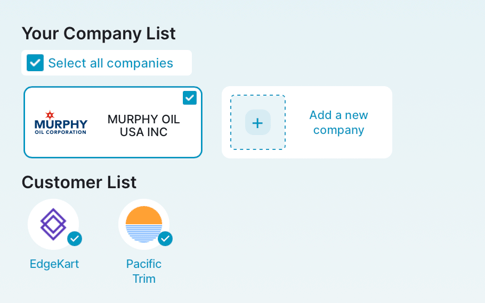 3. Check Invoices Statuses Across Customers in Conductor
When you're in Conductor, use the menu on the left to navigate to the "Invoices" screen. Here you can see invoices from the last 90 days across all connected customers.
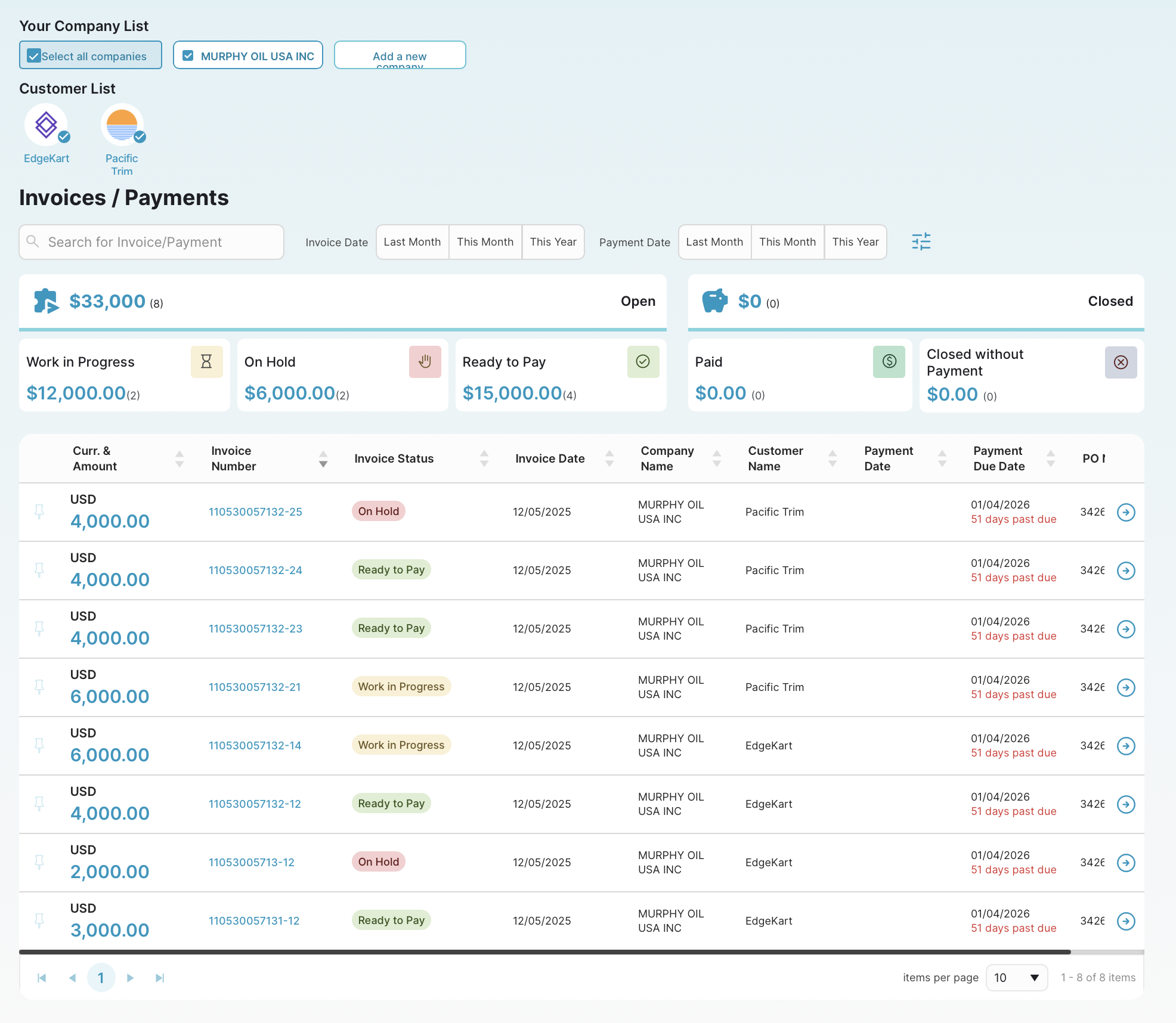
4. Use Conductor to Easily Access Customer Portals
On the Invoices dashboard, you'll notice that the invoice numbers are highlighted in blue. These are links you can use to access the portal of the associated customer.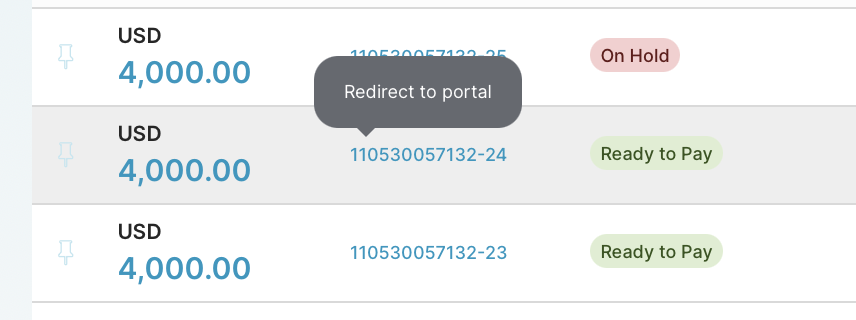
There are some tasks you won't be able to complete in Conductor at this time, for example, uploading invoices is still something you need to do in an individual customer portal. For these instances, you can use Conductor as the "front door" and access all of your customer portals from one place.
We hope you're excited to take on 2026 and add even more efficiency to your daily portal management processes. Have questions, comments, or suggestions for the apexanalytix Conductor team? You are welcome to email me directly at nwilson@apexanalytix.com.